

This guide will show you how to cancel your subscription in RC Reports. Let's look at the steps:
Step 1: Open Settings
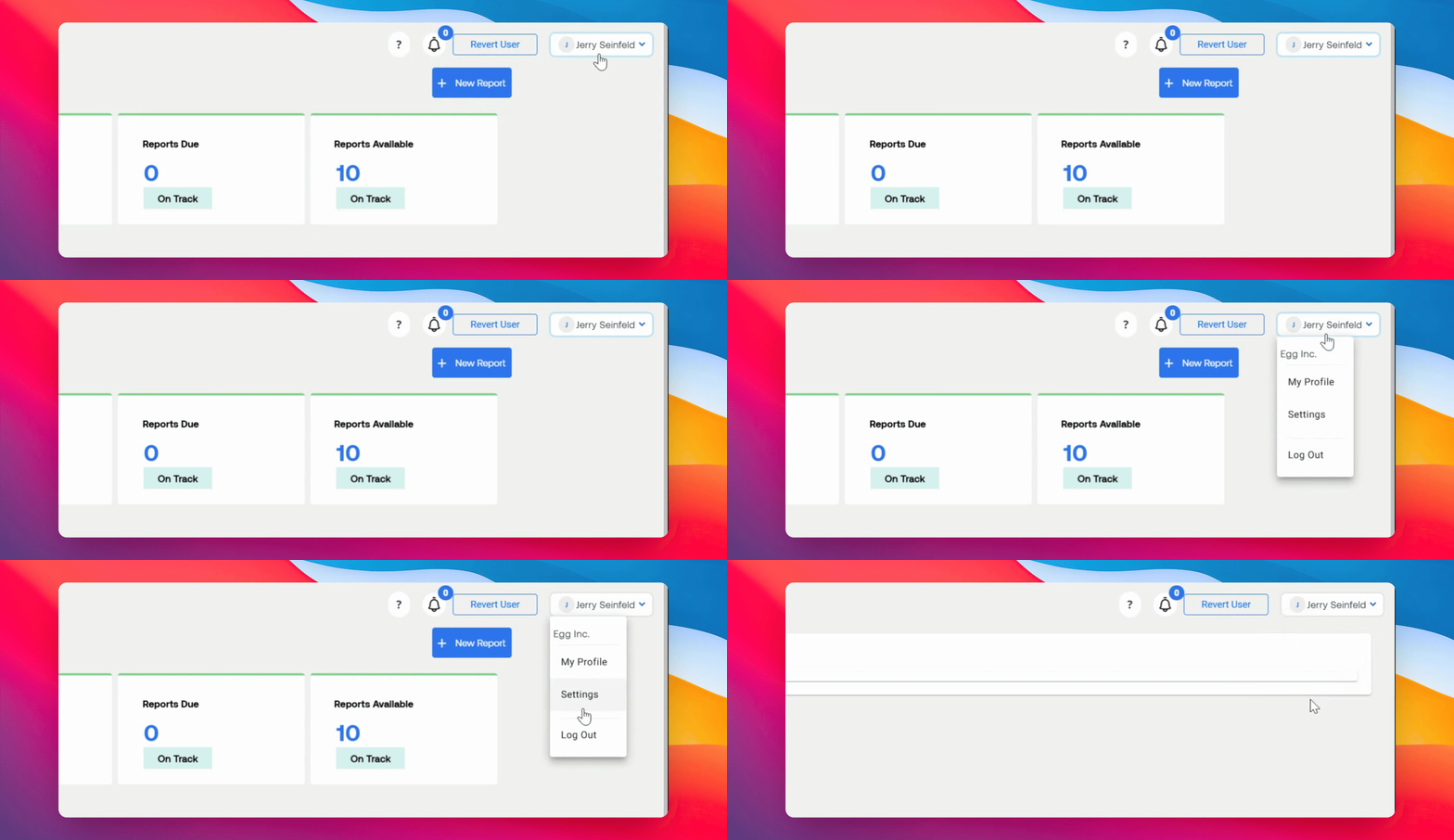
On your dashboard, click your name in the top right corner. From the drop-down menu, select Settings.
Step 2: Go to Subscription Tab
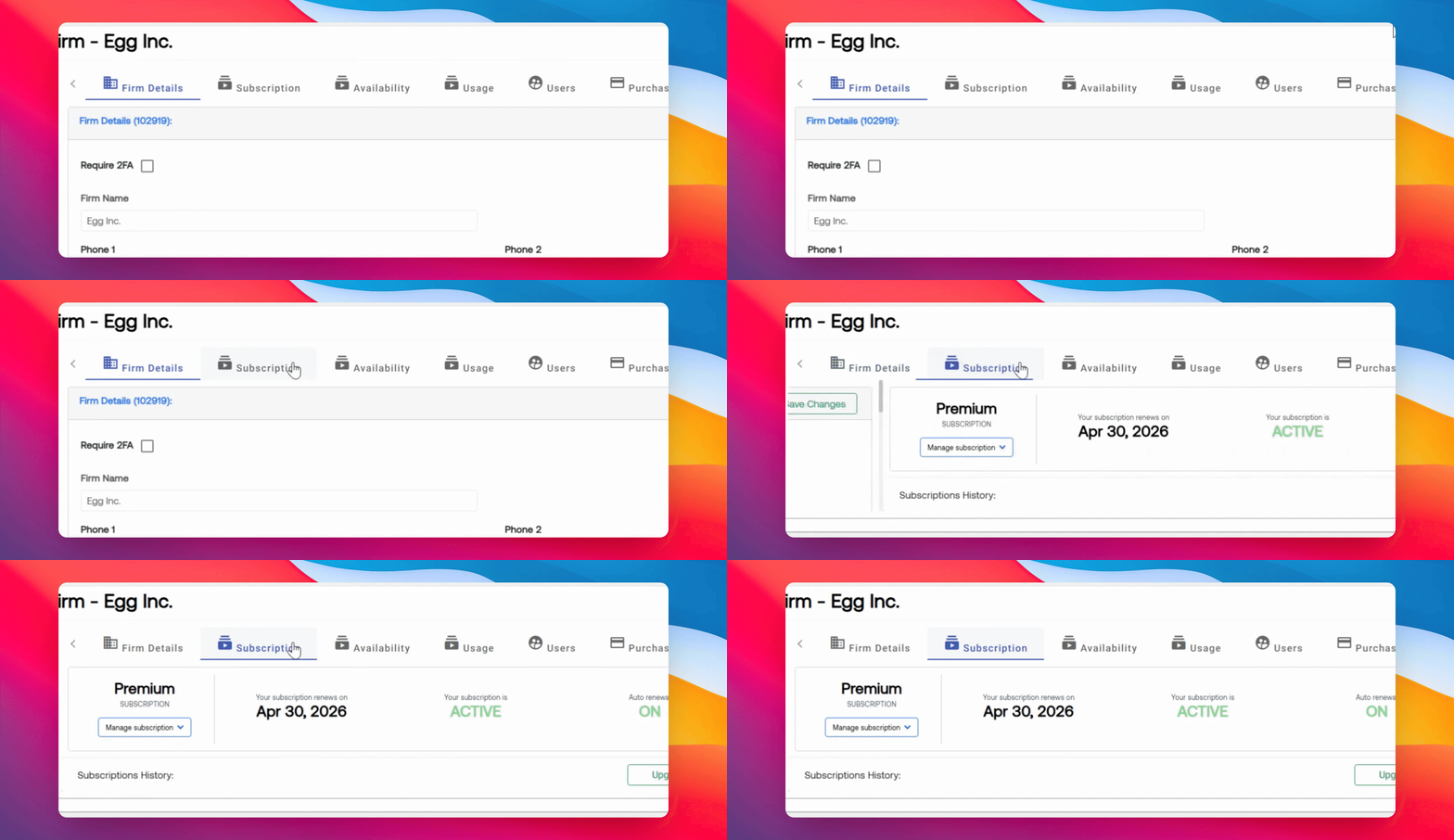
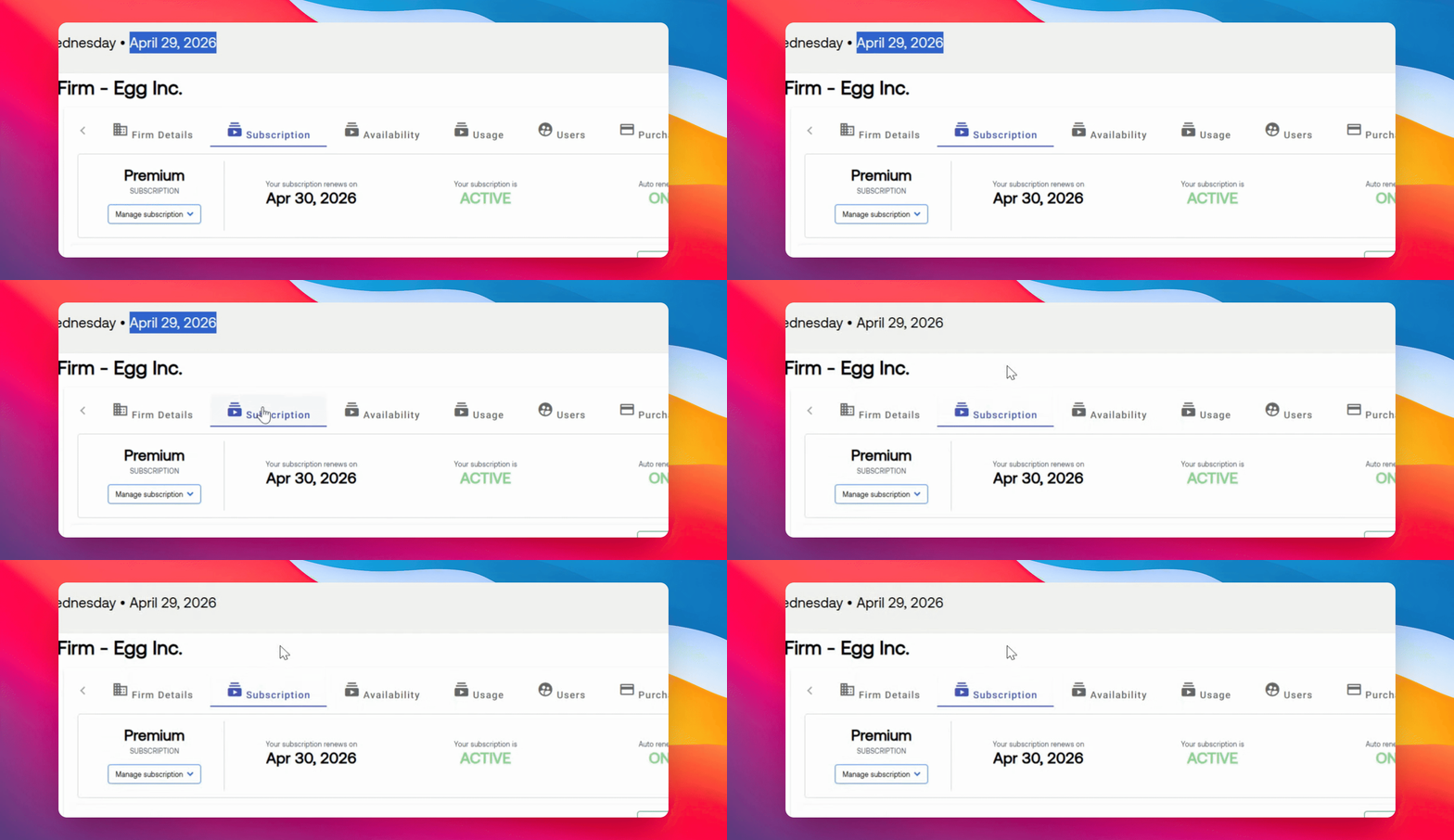
Navigate to the Subscription section. Here, you will see your subscription date.
The Cancel option appears only within 30 days of your subscription end date. To perform an early cancellation, contact us at support@rcreports.com
Step 3: Cancel Subscription
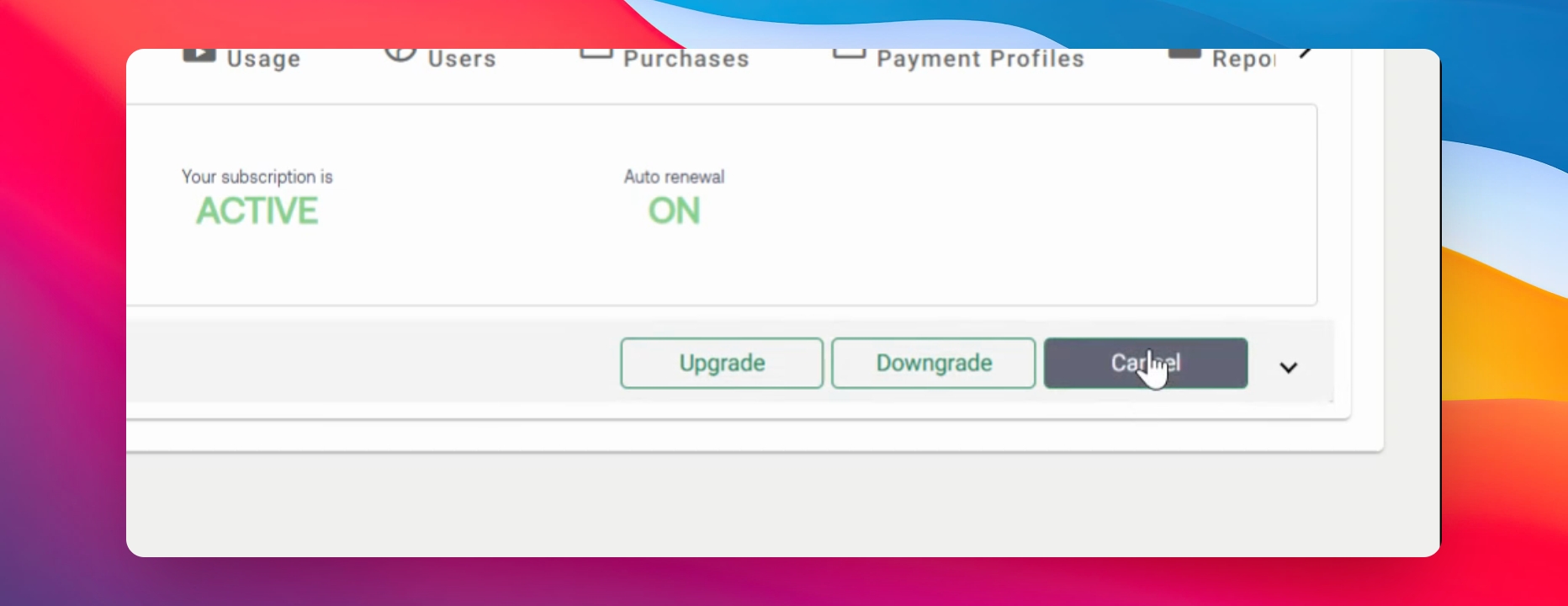
If you are within the 30 day window, click the Cancel option in the Subscription tab to cancel your subscription.
For questions or concerns, contact RCReports at 720-279-8800 or support@rcreports.com